
Melbet Download App for Android (APK) or iOS
The Melbet app allows you to place sports bets and play casino games every day directly from your smartphone. It is available as an official client for iOS and Melbet APK for Android. The installation file weighs about 71.3 MB, so it is easy to download even with average internet speed. If you enter the promo code MELNETPKIN30 when registering, you will receive +30% to the maximum amount of any welcome bonus (150% sports bonus of up to 40,000 INR or 450% casino package of up to 212,000 INR + 250 FS).

Download the Melbet APK in 4 Steps
Download the official and safe Melbet APK for Android only from our official website. To do this, follow the instructions below:
Step 1
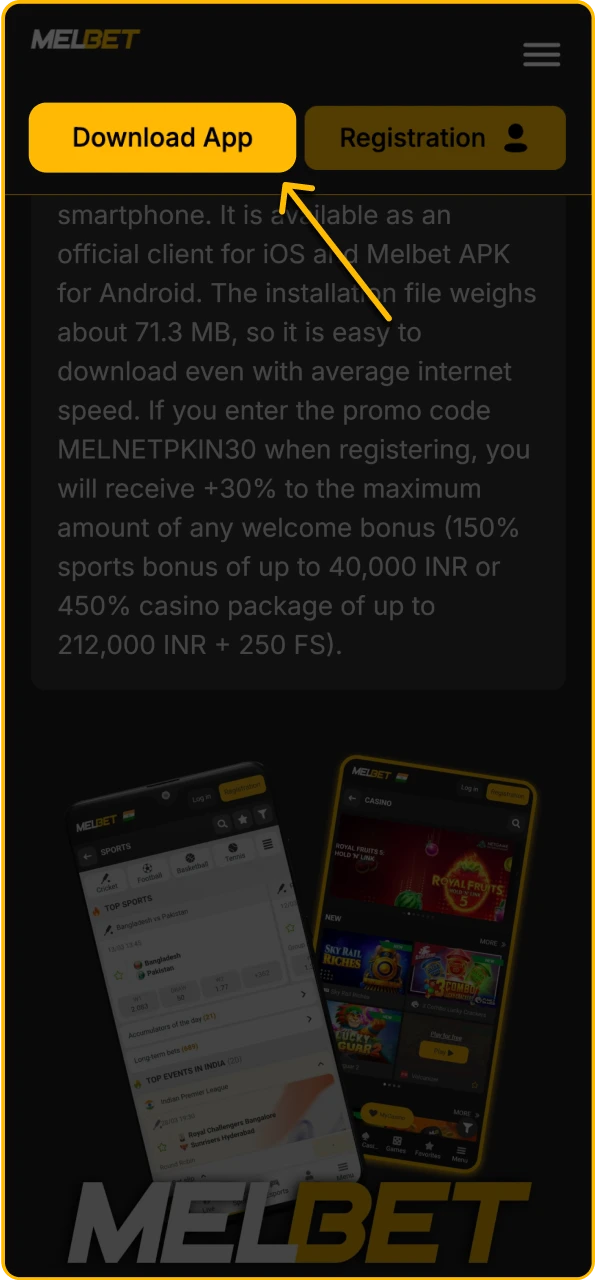
Start Downloading the Melbet APK
Click on the orange download button below to proceed to the APK file download.
Step 2
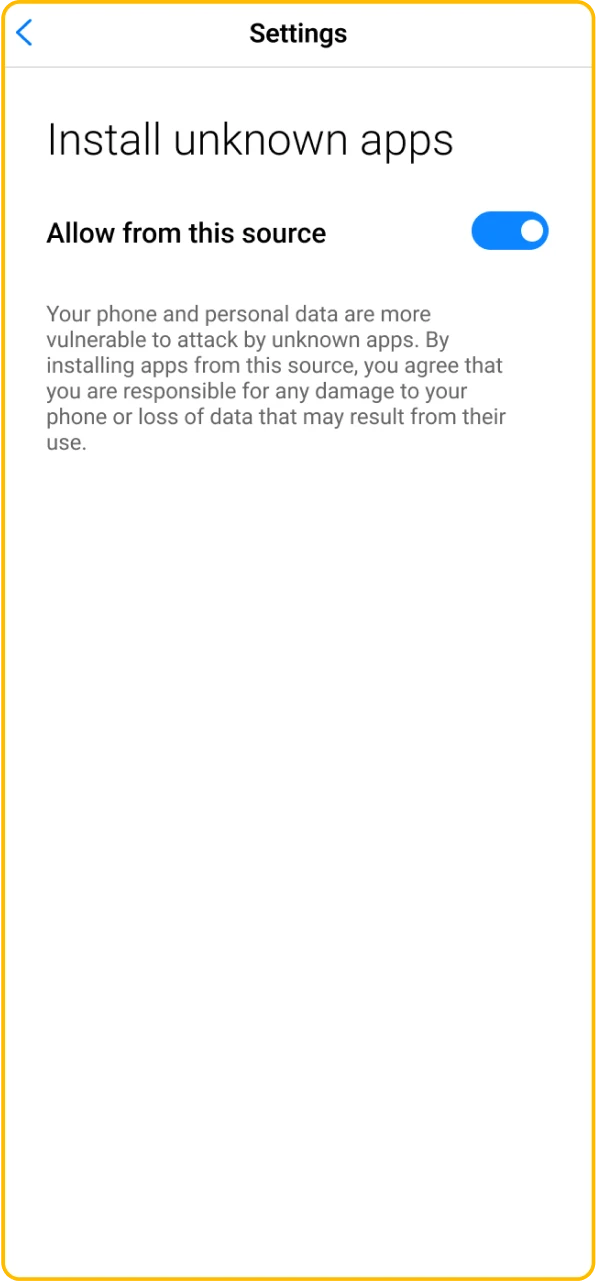
Enable APK Installation in Settings
While the file is downloading, go to your device settings, open “Security”, and allow installation from unknown sources for the selected browser.
Step 3
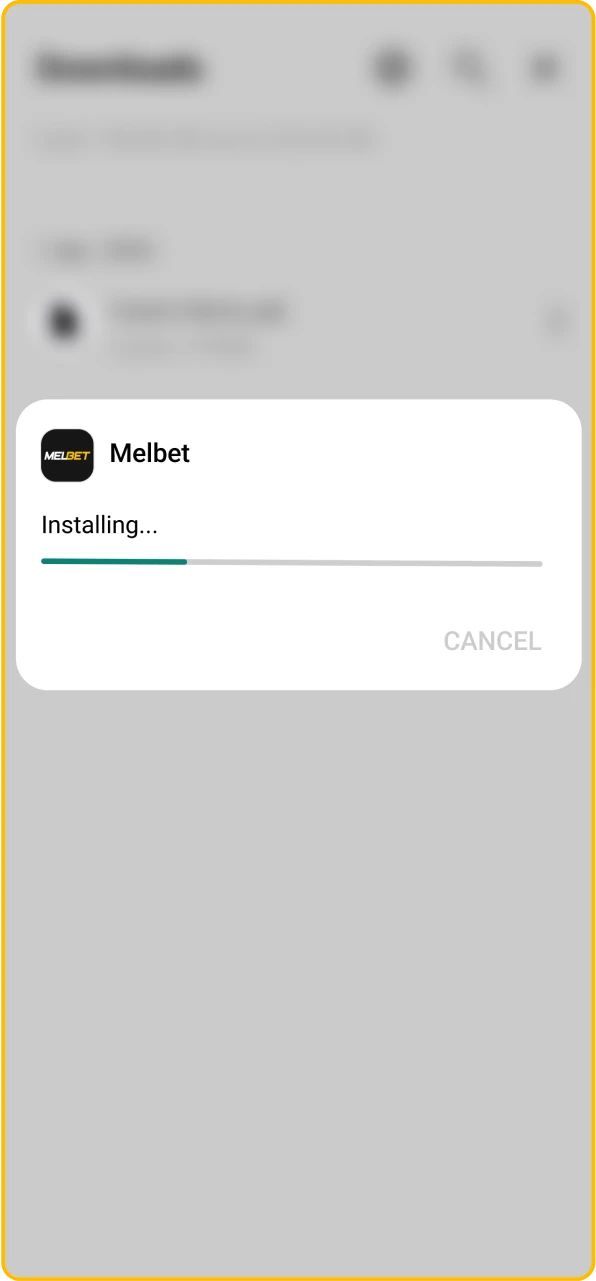
Begin Installing the Melbet App
Open the “Downloads” folder on your phone, find the Melbet.apk file, and tap on it to start the installation.
Step 4
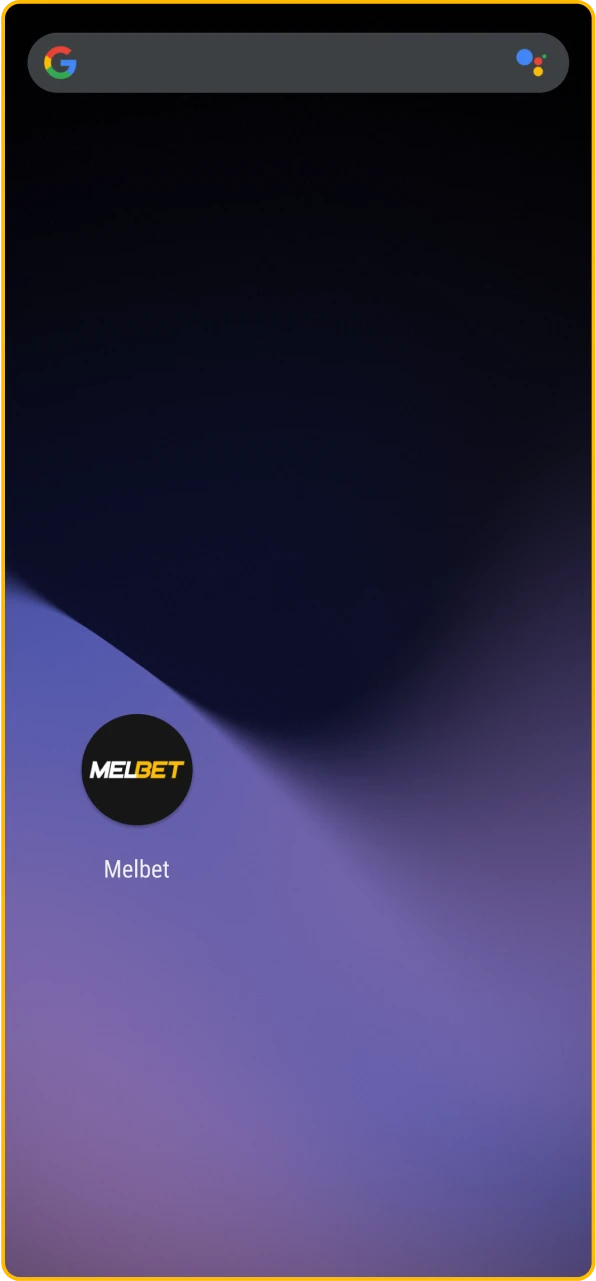
Wait for the App to Finish Downloading
Wait for the installation to complete. Once the software is installed, the icon will appear on your desktop and in the applications menu.
Melbet Android App: Supported Versions & Specs
The Android version of the Melbet app is designed for standard smartphones. It retains all the features of the desktop site. They are pre-match, live, casino, Aviator, and financial transactions.
Android System Requirements
| Parameter | Minimum requirement |
|---|---|
| Android OS Version | Android 6.0 or higher |
| Free Storage | From 70.68 MB |
| RAM (Memory) | From 1 GB |
| CPU | From 1.4 GHz, dual-core or better |
| GPU | 1.3 GHz dual-core graphics or equivalent performance |
| Screen Resolution | At least 1280×720 (HD) for comfortable interface use |
| Internet Connection | 3G/4G/5G or stable Wi-Fi for live betting and streams |
| Browser for Download | Google Chrome, Opera, Firefox or another modern browser |
Supported Android Smartphones & Tablets
If your phone meets the above requirements, Melbet download apk will almost certainly work without any problems. Below are a few examples of smartphones on which the mel bet app runs smoothly.
| Brand | Models |
|---|---|
| Samsung | Galaxy S24, Galaxy A55, Galaxy A25 |
| Xiaomi / Redmi | Redmi Note 13, Poco F5 Pro |
| OPPO | OPPO A98, Find X6 Pro, Reno 8T |
| Huawei | Huawei Nova (current models) |
| Tecno / Infinix | Tecno POVA 6, Spark 10 Pro and similar |
Download the Melbet iOS App
Install the Melbet iOS PWA for a full app experience without the App Store. Follow these steps to add it to your Home Screen:
Step 1
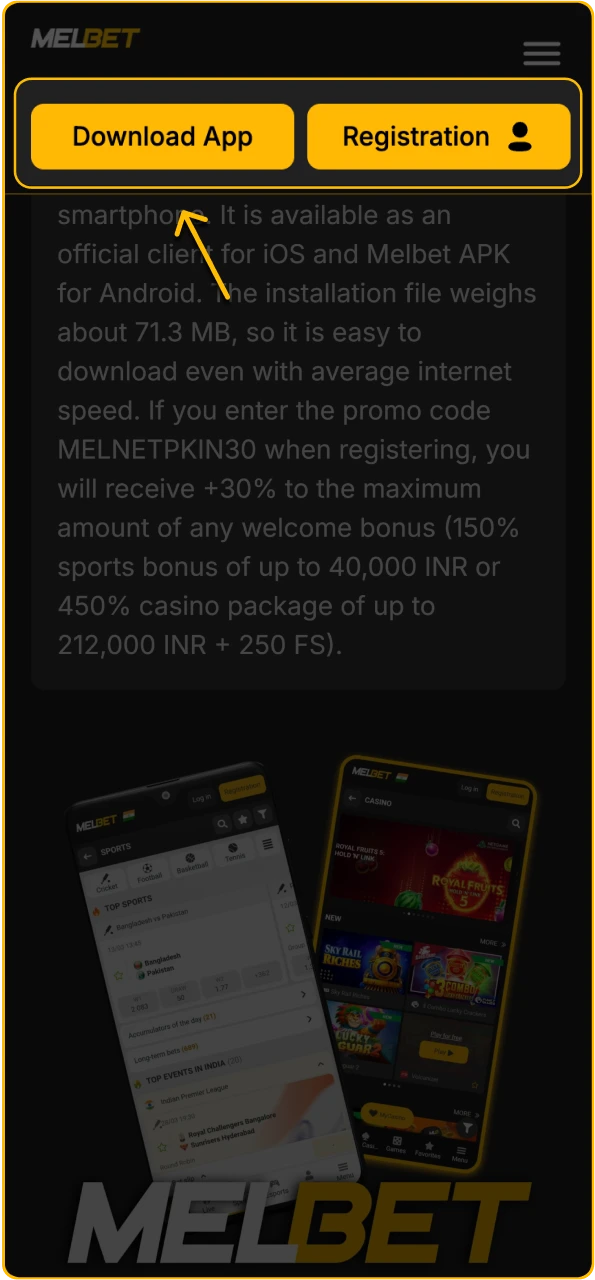
Tap the Download Button
Click on the orange “Download Melbet iOS” button below to proceed with the installation.
Step 2
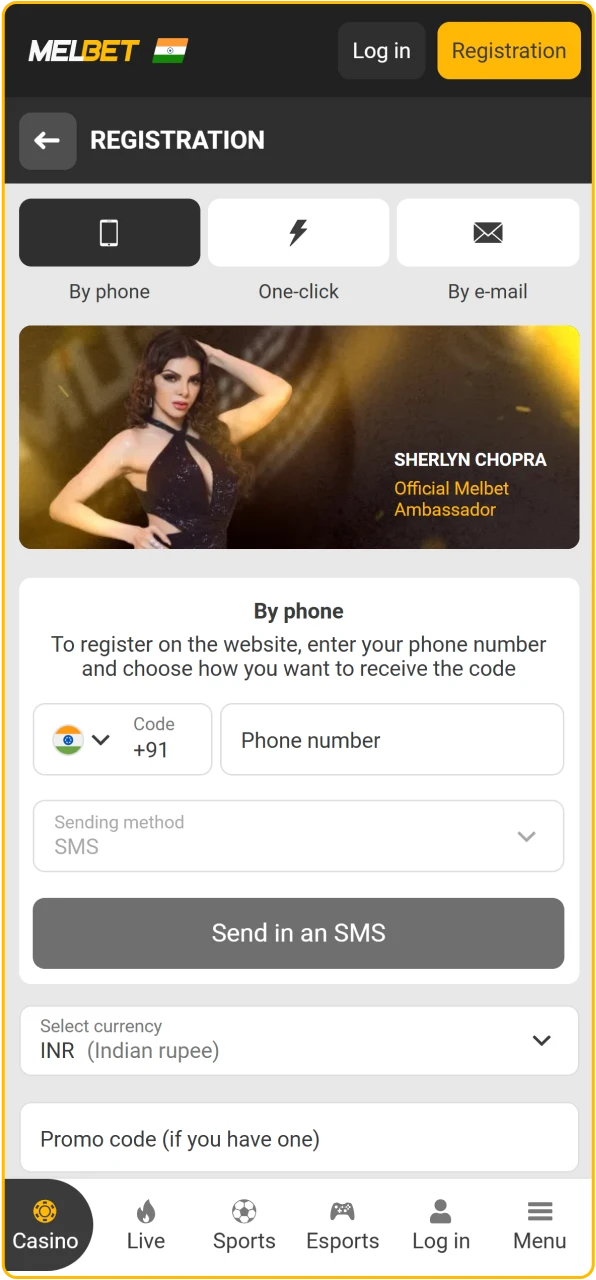
Open a New Account
After clicking, a form will open where you can create a new account or log in to an existing one.
Step 3
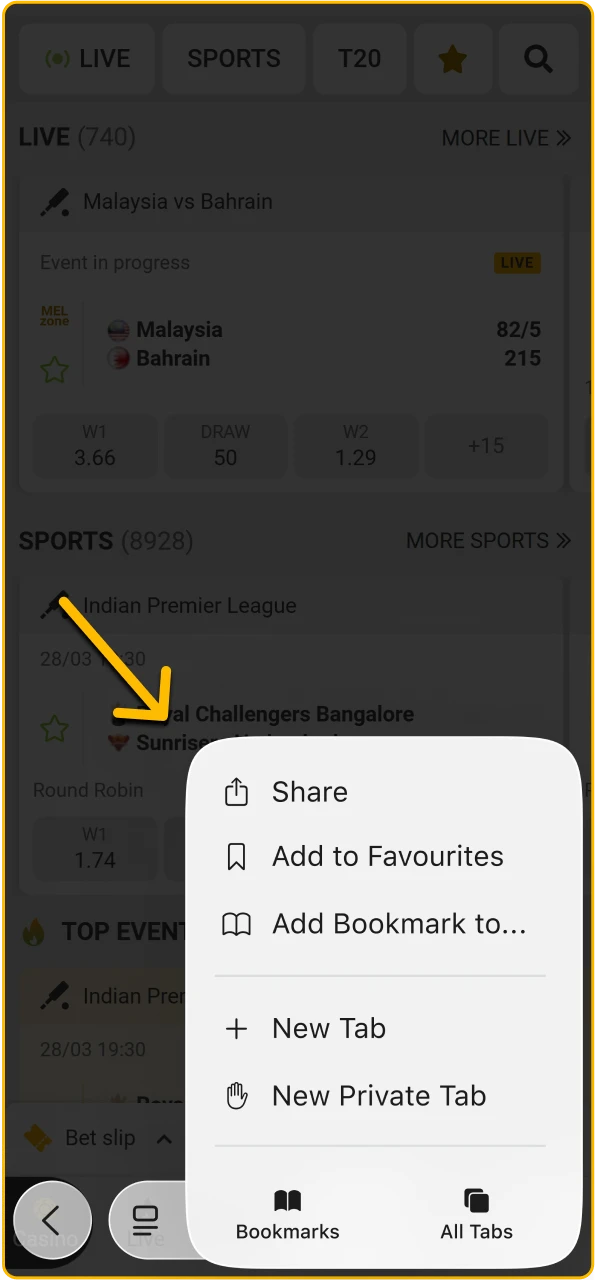
Tap the Share Button in Safari
Open Safari, press the Share icon at the bottom, and access the quick actions menu.
Step 4
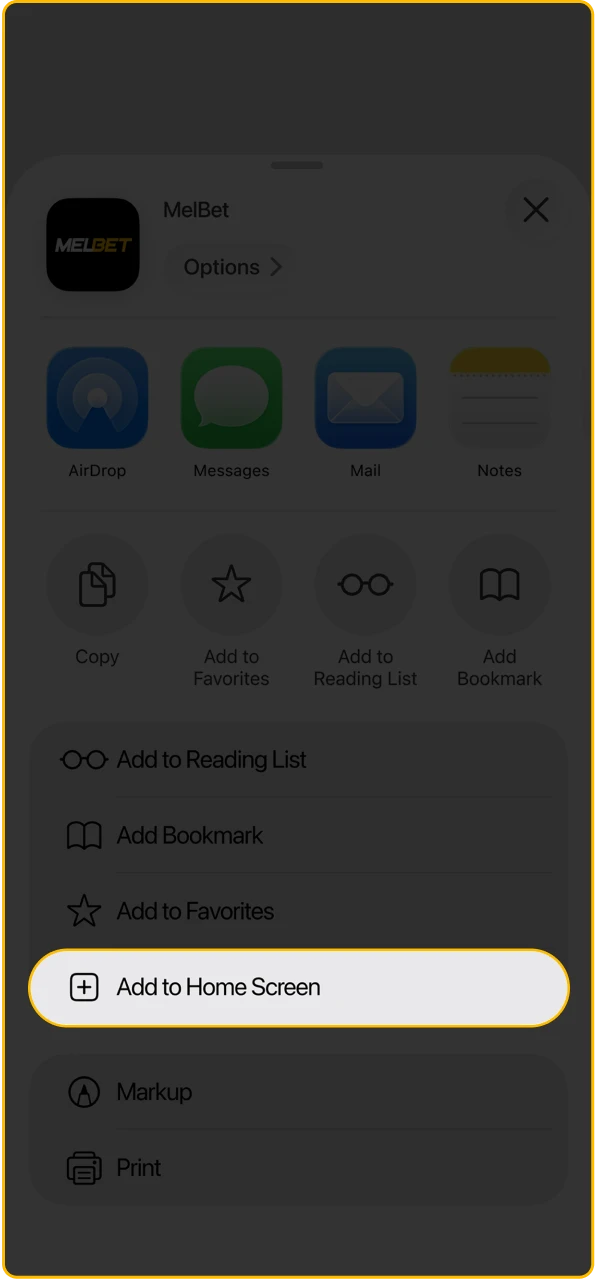
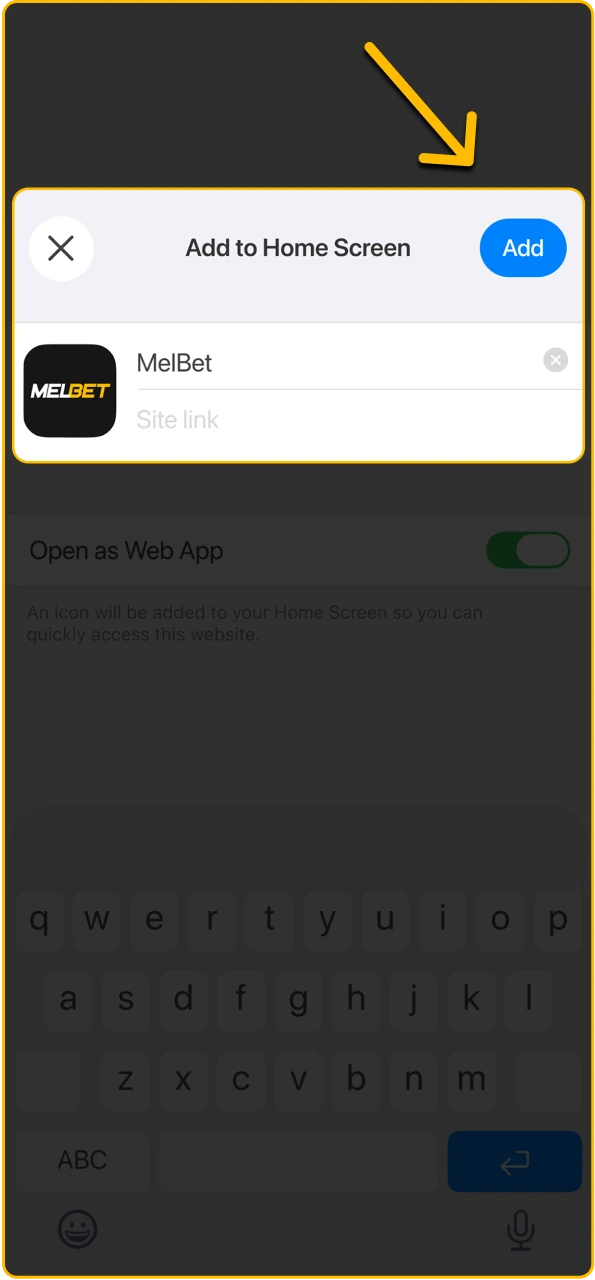
Select “Add to Home Screen”
Choose the option, check the app name, and prepare to place the shortcut on your screen.
Step 5
Tap “Add” to Confirm
Press “Add,” wait a moment, and launch the PWA from your Home Screen.
Melbet App for iPhone: Supported iOS Versions & Specs
The app for iOS is optimized for the latest versions of the system and does not require a top-of-the-line iPhone. All you need is iOS 14.0+, about 300 MB of free space, and 1 GB of RAM for the software to run smoothly, without freezing during live betting, and to display the line and casino correctly.
iOS System Requirements
| Parameter | Minimum Requirement |
|---|---|
| iOS Version | iOS 14.0 or higher |
| Free Storage | Free Storage |
| RAM (Memory) | From 1 GB |
| Processor | From 1.4 GHz (A11 Bionic chip or newer) |
| Graphics | Apple-designed 3-core GPU or similar |
| Apple-designed 3-core GPU or similar | At least 1280×720 for comfortable interface use |
| Internet | 3G/LTE or Wi-Fi for stable odds and betting updates |
Supported iPhones & iPads
Melbet iOS is supported on both new and relatively old iPhone and iPad models. If your device is updated to the latest version of iOS and is not cluttered with apps, the Melbet download app will run without errors and the client will work stably.
| Device Type | Supported Models |
|---|---|
| iPhone (current series) | iPhone 13 / 13 mini / 13 Pro, iPhone 14 / 14 Plus / 14 Pro / 14 Pro Max, iPhone 15 / 15 Pro / 15 Pro Max |
| iPhone SE | iPhone SE (recent generations, including SE 4) |
| iPad | Current generations of iPad Pro, iPad Air, iPad mini |
Download the Melbet App via QR Code
If the installation link is temporarily unavailable or you are accessing it from a computer, scan this QR. Your phone’s camera will redirect you directly to the Melbet download apk or iOS version page, where you will only need to confirm the installation.

About Melbet App
| Year of Launch | 2012 |
| Developer | Pelican Entertainment B.V. |
| License | Curacao eGaming, No. 8048/JAZ2020-060 |
| Supported OS | Android (recommended 6.0+) and iOS (recommended 14.0+) |
| APK File Size | 71.3 MB |
| Cost | Free |
| Availability by Country | India, Bangladesh, Pakistan and others |
| App Languages | English, Hindi, Bengali and 40+ other languages |
| Currencies | INR, BDT, PKR, EUR and many other fiat currencies and cryptocurrencies |
Melbet App Interface
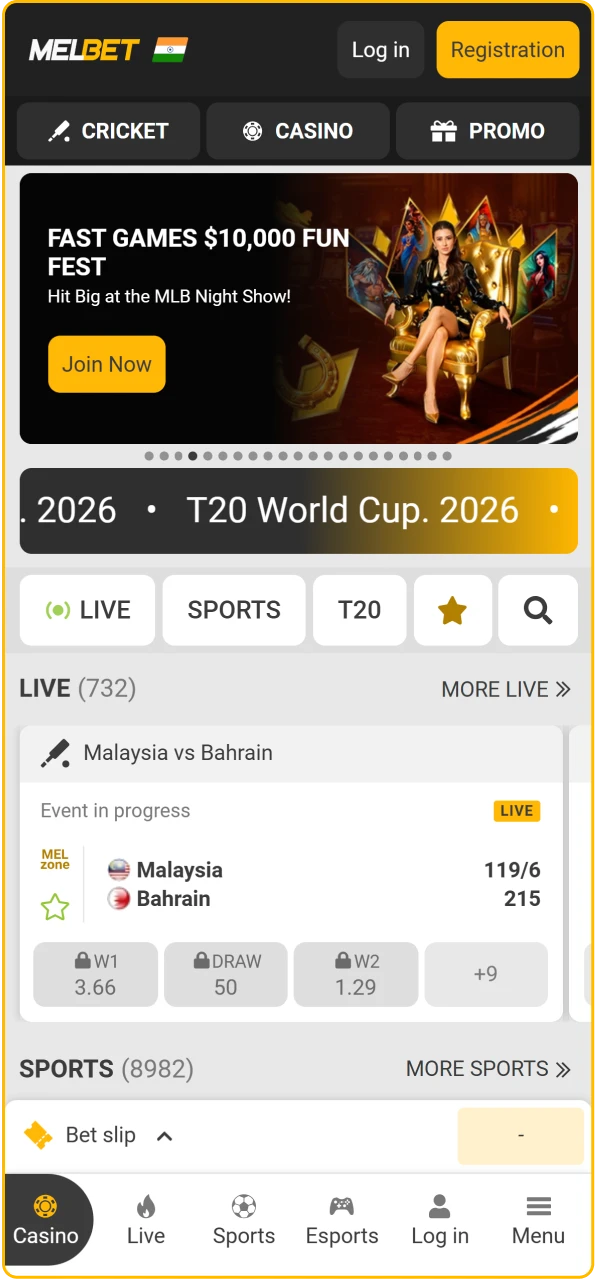
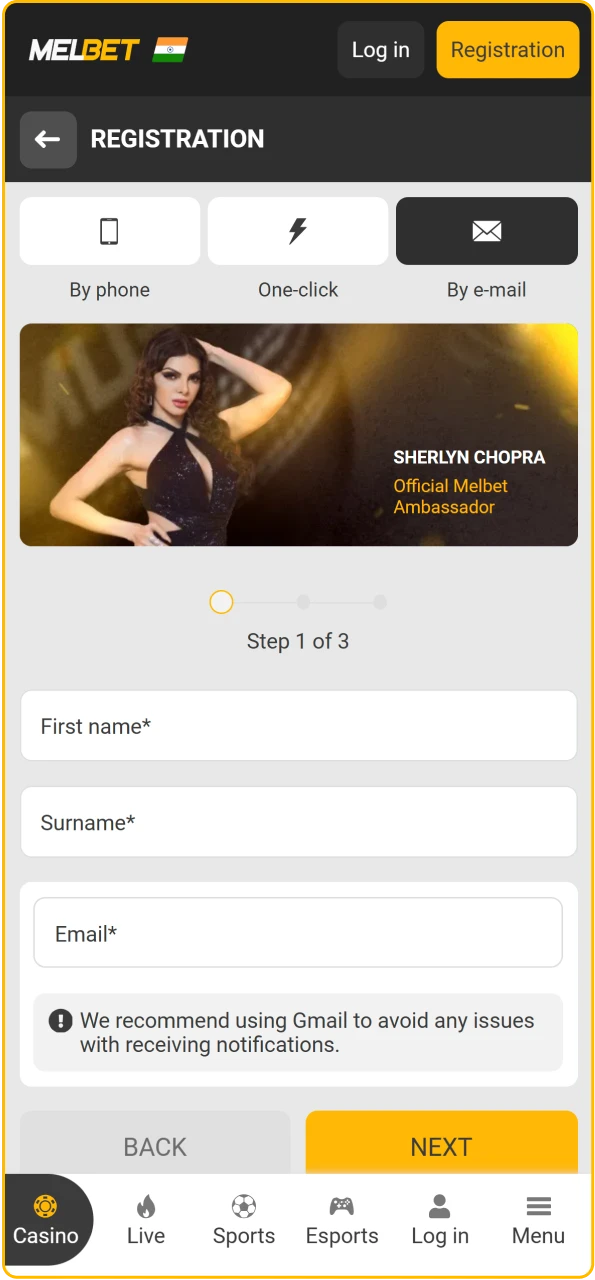
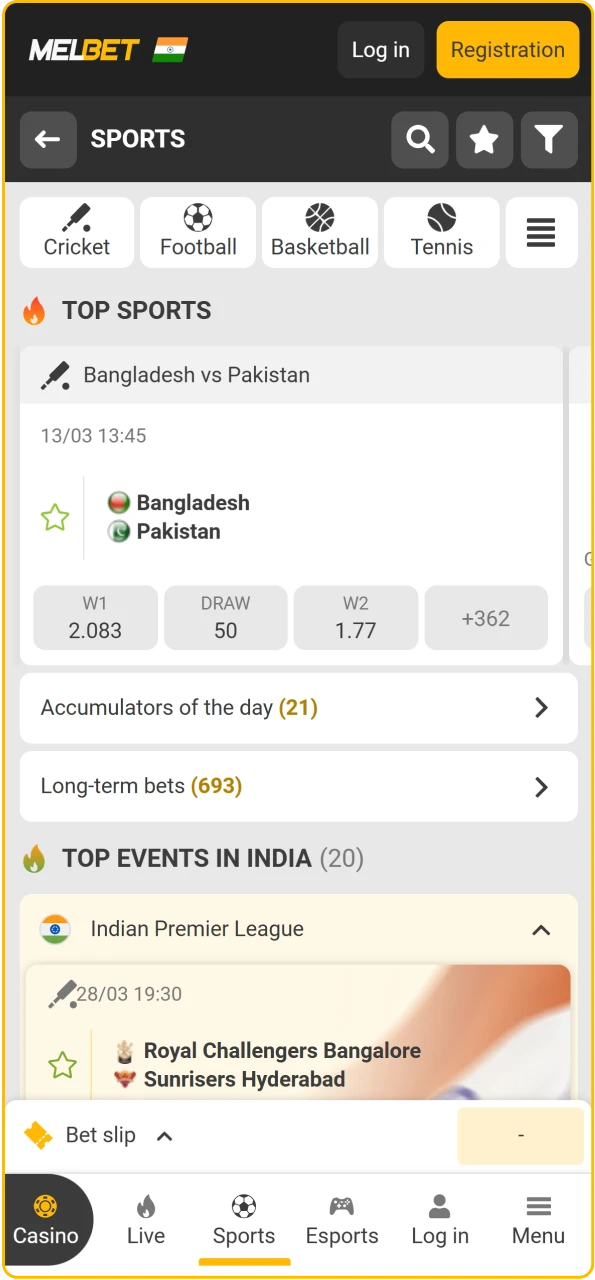
Discover everything from the Melbet home screen. Explore casino entertainment inside Melbet app.Feel live casino energy on Melbet.Access sports action instantly with Melbet.Register easily and start winning on Melbet.


Additional Details About App Installation
The Melbet installation procesvs is equally simple for both Android and iOS, all you need to do is download the file from the official website, allow installation, and launch the client. The only difference is where you install the program from, as on Android, it is Melbet apk download, and on iPhone, it is the App Store after you change the region.
How to Install the Melbet APK on Android
- Download the Melbet APK file from the website.
- Open your phone settings, privacy/security, installation from unknown sources.
- Allow installation for the browser from which the file was downloaded.
- Open the “Downloads” folder, find Melbet.apk and click on it.
- Confirm the installation in the pop-up window.
- Wait for the application to finish installing.
- If desired, disable installation from unknown sources again.
How to Install the Melbet App on iOS Devices
Open the App Store on your iPhone or iPad.
- Tap the search icon, enter “Melbet” and start the search.
- If the app is not available in your current region, change your account country to India and repeat the search.
- Tap the “Get” button, confirm the installation and wait for the download to complete.
Fix Melbet Installation Issues
Problems with downloading and installing the Melbet application are rare, but it’s better to know how to solve them quickly. Below are typical situations for Android and iPhone, along with solutions that will help you complete the download process.
| Melbet Download Problems | Fixing |
|---|---|
| Installation from Unknown Sources Is Blocked | Enable installation from unknown sources for the browser you used to download the APK in your security settings |
| Device Is Not Compatible | Check Android/iOS version and hardware; update the system or use a more recent smartphone if needed |
| Conflict with an Already Installed Version | Delete the old Melbet APK or iOS app, restart your device, and launch the new APK again |
| Not Enough Storage Space | Free up space by removing unused apps and cache; make sure you have more than 300 MB available |
| Antivirus or System Blocks the Installation | Temporarily disable the antivirus; but remember: always download only from our official website |
| Region Restriction in the App Store | Change your Apple ID region to India, save the changes and repeat the Melbet download iPhone |
How to Update the Melbet App
The Melbet app is regularly updated, as the result, performance is improved, bugs are fixed, and new features and promotions are added. If you keep an outdated version, you may experience crashes, incorrect odds display, and login issues. The easiest way is to simply update the client on time.
How to Update the App on Android
- Download the latest version of the apk.
- If necessary, enable installation from unknown sources in your security settings.
- Open the “Downloads” folder and click on the Melbet.apk file.
- Confirm the installation over the old version and wait for the process to complete.
- Launch the app and make sure that the updated software is working.
How to Update the App on iPhone
- Open the App Store on your iPhone or iPad.
- Tap the profile icon in the upper right corner.
- Scroll through the list to the section with available updates.
- Find the Melbet app in the list.
- Tap the “Update” button and confirm the action.
- Wait for the download to complete and restart the app so that the new version is fully applied.
Overview of the Melbet Mobile Website
If you are not ready to download the APK file, you can use the Melbet online site. It adapts to your phone screen, retains all key features, such as registration, deposits, betting, casino.
| Parameter | Description |
|---|---|
| Compatible Devices | Any Android/iOS smartphones and tablets, plus PCs and laptops with a modern browser |
| Requirements for Stable Work (Internet) | Stable 3G/4G/5G or Wi-Fi for correct odds loading and live markets |
| PWA Availability | No separate PWA promoted for India; it is more convenient to use the full Melbet mobile app |
Melbet App vs Website: Which Is Better for Daily Betting?
| Criterion | Melbet Mobile App | Official Website |
|---|---|---|
| Access | Icon on the screen; one-tap login | Access via browser; you need to type the address or use a bookmark |
| Speed | Faster section loading, lower data usage | Depends on the browser, sometimes slower |
| Updates | Needs Melbet update through a new APK or the App Store | Always current version without user-side updates |
| Offline Readiness | Part of the interface stored locally; quicker start | Everything loads from scratch each time you open the site |
| Notifications | Push notifications for results, offers and bet status | No push notifications |
| Storage Requirements | Takes tens of megabytes of device storage | Does not take storage space beyond browser cache |
| Recommendation for India | Best choice for daily betting, quick deposits and access to promos | Well backup option is not possible |
The PC version is also available for your desktop.
Top 5 Reasons Why Indian Bettors Choose the Melbet App
Supports INR and Hindi Language
The app accepts deposits in INR via popular payment options and supports English and Hindi interfaces, which is convenient for players from India.

Works on Older Devices
Mel bet app does not require a flagship device, Android 6.0+ or iOS 14.0+ and 1 GB RAM are sufficient.
Free to Download
Download the Melbet app for free from the official website, use the promo code MELNETPKIN30, and get the most out of your welcome bonuses today.
Lightweight APK File
The installation file will not overload the memory, apk Melbet weighs about 71.3 MB, and installation is quick even with mobile internet.
Available on the App Store
Melbet iOS is available through the App Store after changing the region to India, and it takes only a few minutes.
How to Delete the Melbet App
Sometimes you need to delete the app to free up space, reinstall the latest version of Melbet apk, or temporarily pause the game. On Android and iOS, the process takes less than a minute and does not affect your account. Your balance and betting history are stored in your account, not in the app.
Uninstalling from Android Devices
- Open the list of applications on your smartphone and find the Melbet icon.
- Hold the icon until the action menu appears.
- Select “Delete” or the trash can icon.
- Confirm the deletion in the appeared window.
- If necessary, restart your device before reinstalling.
Uninstalling from iOS Devices
- Find the Melbet icon on your home screen or in your app library.
- Press and hold the icon to bring up the menu.
- Select “Delete App” or tap the small cross/minus sign.
- Confirm the deletion to free up space on your iPhone.
Is the Melbet App Safe to Download?
Yes. Downloading the Melbet apk and iOS client is safe if you do so only through the official website or the App Store. The platform operates under Curacao eGaming license No. 8048/JAZ2020-060, uses data encryption and verified payment gateways.
FAQ
What Is Melbet App?
Melbet app is the official mobile application of the bookmaker and casino, available as apk for Android and in ios format for iPhone. It features sports, live betting, casino, Aviator, and all the main bonuses.
Will the Melbet APK Harm My Device?
No, if you download it only from the official website. The file is verified, contains no viruses, and does not require root privileges on the device.
Can I Make Transactions in the App?
Yes, through the mobile app, you can replenish your account and withdraw funds using the same methods as on the website, these are cards, wallets, local methods, and cryptocurrencies.
Can I Receive Welcome Bonuses Through the App?
Yes, Melbet bonuses are available for new players both in the app and on the website. When registering, enter the promo code MELNETPKIN30 to receive +30% to the maximum amount of your chosen welcome bonus (sports or casino).
Is the Registration Process Different on the Website and in the App?
No, the registration form is the same. You specify your country, currency, contact details, and select a bonus. An account created in the app can be used on the website, and vice versa.
Are the Betting Features Different on the Website and in the App?
The functionality is almost identical, as the official app offers the same markets, bet types, cash out, and casino as the browser version. The difference is in the more convenient navigation and push notifications.
Why Should I Update the App?
Updates improve stability, speed, and add new features or promotions. If you don’t update it, the app may run slower or not support some services.
Does an APK Application Exist for iOS?
No, for iOS, the version from the App Store is used, not apk. On iPhone and iPad, you need to download Melbet for iPhone through the app store after changing the region to India.
Updated: